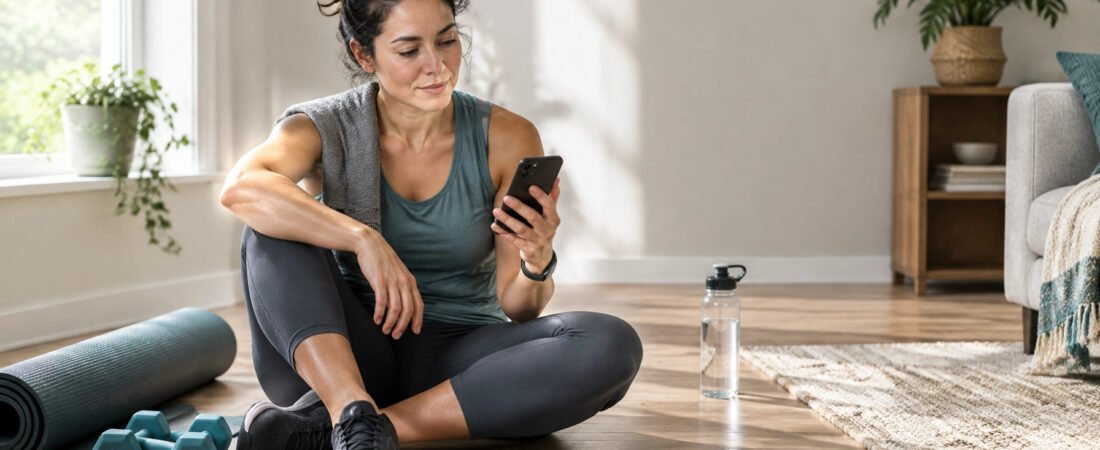
Choosing the best free fitness app is less about finding the app with the most features and more about finding one that helps you take a useful next step. A free plan should let you track your workouts and progress without making basic features feel out of reach.
The right fitness app free of charge can help you build healthy habits at your own pace. It should be easy to use, clear about what’s included, and flexible enough to fit your starting point. Here’s how to judge whether an app is a practical support, or just another distraction.
Table of Contents
- What should a free fitness app include?
- What you don’t need
- How to choose an app you’ll keep using
- A quick decision checklist
- How QFWellTrack’s free plan fits
- Common mistakes when choosing a fitness app
- Frequently asked questions
What Should a Free Fitness App Include?
Free shouldn’t mean useless. A worthwhile free tier gives you enough room to try the app and build a basic routine before deciding whether you want more.
1. A simple way to track workouts
A good workout tracking app makes it easy to record what you did. That might be a strength session, a walk, or a workout at home. Basic workout tracking helps you see patterns: how often you move, which sessions you enjoy, and what fits into your week.
You don’t need a perfect record. A few honest check-ins are more useful than an elaborate log you stop updating.
2. Goals and progress you can understand
Look for a way to set goals that feel relevant to you and review progress over time. A useful progress tracking fitness feature should help you notice your own effort, not pressure you to chase a number every day.
Progress can include completing planned workouts, returning after a break, or building a steady routine. Weight tracking may be useful for some people, but it should be optional and not treated as the only measure of progress.
For more ideas, see How to Measure Fitness Progress Without Obsessing Over Weight.
3. A realistic way to build consistency
The best features reduce friction. Clear menus, straightforward logging, and goals you can adjust make it easier to use an app during a busy week.
That matters because consistency over perfection is a practical approach to healthy habits. One missed workout doesn’t erase your progress. A useful app helps you pick up where you left off instead of making you feel behind.
Why it matters: A fitness app should support your routine, not become a routine you struggle to maintain.
4. A welcoming starting point
A good app works for more than one type of user. If you’re new to fitness, it should feel approachable. If you already train regularly, it should make tracking your activity convenient.
That’s the heart of inclusive fitness: helping people with different goals, schedules, and experience levels find a place to start.

What You Don’t Need
A long feature list doesn’t automatically make an app useful. Before signing up, ask whether its tools solve a real problem for you.
Gimmicks that add more noise than value
Badges, streaks, leaderboards, and reminders can motivate some users. They can also become clutter. Look for settings that let you control notifications and decide whether community features are right for you.
Impossible promises
Be cautious of apps that guarantee a specific body, timeline, or health outcome. Fitness and wellness are personal. An app can organize information and support your choices, but it can’t promise a result.
Basic tools locked behind pressure
Some premium features are reasonable. A larger workout library, food logging, advanced insights, and integrations may take more resources to provide. What matters is that the free plan clearly tells you what’s included and doesn’t use repeated, aggressive prompts to make you feel that you can’t begin without upgrading.
Every metric, all at once
More data isn’t always better. You don’t need to track every workout detail, meal, measurement, and daily fluctuation to build a healthy lifestyle. Start with the information that helps you make a practical decision.
If food logging or body measurements make you uncomfortable, choose an app that lets you focus on other parts of your routine. For nutrition questions that involve health conditions or specific dietary needs, talk with a qualified healthcare professional.
How to Choose an App You’ll Keep Using
A free app is only useful if it fits your real life. Before committing, test it against your schedule and needs.
Start with one goal
Name what you want help with first. For example:
- Keeping track of workouts
- Setting a manageable weekly goal
- Seeing your activity over time
- Finding a welcoming community
- Planning beginner workouts
Avoid choosing an app because it promises to manage everything. A focused start is easier to stick with.
Check the everyday experience
Try logging a workout or checking your progress. Is it clear where to tap? Can you understand the information without searching through several screens? If using it feels like extra work, you may not return to it.
Make sure it fits your level
For fitness for beginners, look for clear steps, adjustable goals, and a calm tone. For experienced users, consider whether tracking is flexible enough for the kind of training you already do.
A personalized workout plan or AI fitness coach may be useful to some people, but neither is a requirement for starting. Check which plan includes those features and decide whether you need them now.
Review privacy and terms
Fitness information can be personal. Before sharing it, read the app’s privacy information. Check what data it collects, how it uses it, and whether you can manage or delete your information. QFWellTrack shares its approach on its Trust and Privacy pages.
A Quick Decision Checklist
Use this list before you choose:
- Can I use the free plan for the task I care about?
- Can I track workouts and review my goals or progress?
- Is the app easy to navigate on a normal day?
- Can I change or ignore features I don’t need?
- Are paid features and upgrade prompts clearly explained?
- Can I find the privacy information and understand it?
- Does the app support a routine I can actually maintain?
If you answer “yes” to most of these, try it for a short period. Notice whether it helps you follow through, not whether it has the most impressive dashboard.
How QFWellTrack’s Free Plan Fits
QFWellTrack is a health and wellness platform from the Qwik-Fit sister brand. Its free plan includes workout tracking, weight and goal tracking, progress tracking, and community access. You can start free and upgrade anytime if you later want additional tools.
The QFWellTrack app is designed to bring parts of your fitness routine together, rather than make you chase every possible feature on day one. If you’re exploring a workout tracking app or starting with home workouts, you can use the free plan to build familiarity with tracking and setting goals.
Some additional features are available on other plans. See the plans page for current details. Apple Health and Apple Watch sync are available with eligible plans; other wearable integrations are coming soon and are not currently available.

For a practical start, read The QFWellTrack Approach: Building Better Health One Step at a Time and How to Build a Workout Routine You Can Actually Stick With. You can also explore small healthy habits or browse the QFWellTrack blog.
Common Mistakes When Choosing a Fitness App
Picking the app with the longest feature list
More tools can be helpful later. At the beginning, they can make it harder to see what matters. Choose based on the habit you want to build first.
Setting goals for an ideal week
A plan that only works when your schedule is calm may not last. Set a goal that fits an ordinary week, then adjust as your routine changes.
Treating the app’s numbers as a verdict
Tracking can show patterns, but it doesn’t define your effort or worth. Use information as a guide. If weighing or tracking starts to feel distressing, take a break and consider speaking with a qualified professional.
Assuming an app replaces expert guidance
Fitness apps provide general tools and information. They don’t diagnose or treat health conditions. If you have an injury, a health concern, or questions about what activity is appropriate for you, consult a qualified healthcare professional. The CDC also provides general physical activity guidelines for adults.
Frequently Asked Questions
What is the best free fitness app?
There isn’t one best choice for everyone. Look for a free plan with useful core features, clear limits, understandable privacy information, and a routine you’ll realistically use.
Can I make progress with a free fitness app?
An app can help you track your activity, goals, and patterns. What you do with that information, and how well it fits your life, matters more than the price of the plan. No app can guarantee a particular outcome.
Is a free app enough for fitness beginners?
It can be a helpful starting point if it gives you a simple way to track workouts and set goals. Begin with a small, manageable routine. You can add complexity when you’re ready.
Does QFWellTrack have a free plan?
Yes. QFWellTrack offers free workout tracking, weight and goal tracking, progress tracking, and community access. You can create an account and upgrade anytime.
Do I need an AI fitness coach or a personalized workout plan?
No. These features may suit some people, but they aren’t essential for everyone. Start with the basic tools that support your current goal, then decide whether more guidance would be useful.
Final Takeaway: Choose the App That Supports Your Next Step
The best free fitness app is one that helps you track useful information, set realistic goals, and return to your routine without pressure. Check what the free tier actually includes. Make sure the app feels clear and supportive. Choose features that match your needs today.
Start small. Track what matters. Build a routine that fits your life.
Explore QFWellTrack’s plans, browse the blog, or start free and take your next step at your own pace.
Meta title: Best Free Fitness App: What to Look For | QFWellTrack
Meta description: Learn what a free fitness app should include, which features you can skip, and how to choose a fitness tracker that supports realistic, consistent habits.
URL slug: /blog/best-free-fitness-app-what-to-look-for
Additional image suggestions:
- Section image: Two people with different fitness backgrounds reviewing a workout app together. ALT: “Two people discussing a fitness app after a light workout.”
- Optional infographic: A simple “Free fitness app checklist” showing workout tracking, goals, progress, usability, and privacy. ALT: “Checklist of features to look for in a free fitness app.”