Meta title: QFWellTrack App Getting Started: Your First Week
Meta description: New to QFWellTrack? Follow this simple first-week guide to set goals, choose workouts, log meals, track hydration and sleep, and review progress without pressure.
URL slug: /blog/getting-started-with-qfwelltrack-your-first-week
Starting something new can feel complicated. It does not have to.
This guide to getting started with the QFWellTrack app walks you through your first seven days, one step at a time. You will set a realistic goal, choose your first workouts, log a meal, track water and sleep, and learn how to use your dashboard without becoming controlled by numbers.
QFWellTrack brings training, nutrition, progress, recovery, and coaching into one place. You can start with a free account and build from there.
The goal of week one is not to do everything perfectly. The goal is to learn the platform and create a few repeatable habits.
That is how progress begins.
Important: QFWellTrack provides general fitness and wellness education. It is not medical advice, diagnosis, or treatment. Consult a qualified healthcare professional before beginning or changing an exercise or nutrition program, especially if you have a medical condition, are pregnant or breastfeeding, take medication, or have not exercised recently.
Table of contents
- Start with a simple foundation
- Your QFWellTrack first-week plan
- How to read your dashboard
- Five common first-week mistakes
- Frequently asked questions
- Your next step
Start with a simple foundation
Before choosing a workout, give QFWellTrack useful information about where you are now.
1. Create your account
Create your free account at qfwelltrack.com. You do not need a perfect plan before you begin.
Think about three questions:
- What do you want to improve?
- What is your current fitness level?
- When can you realistically train?
Your answer does not need to sound impressive. “I want to move more three times a week” is a strong starting point. So is “I want to build a consistent home workout routine.”
A clear starting point helps the platform provide more useful guidance.
2. Choose a realistic goal
Pick one primary focus for your first week.
Examples include:
- Complete two workouts.
- Walk or move for 20 minutes on three days.
- Log one meal each day.
- Drink water consistently.
- Create a regular bedtime routine.
- Learn how the dashboard works.
Do not choose ten goals at once. One or two clear targets are easier to repeat.
Why it matters: A small goal gives you a foundation. You can build on a foundation. You cannot build on an unrealistic promise.
3. Set your available schedule
Look at your actual week.
Choose workout times that fit your work, family, school, travel, and energy. If you have 30 minutes on Tuesday and Saturday, start there. If you only have 15 minutes, use 15 minutes.
A sustainable routine is more valuable than an ambitious routine you abandon.
For more help, read How to Build a Workout Routine You Can Actually Stick With and How Many Days a Week Should You Work Out?.
Your QFWellTrack first-week plan
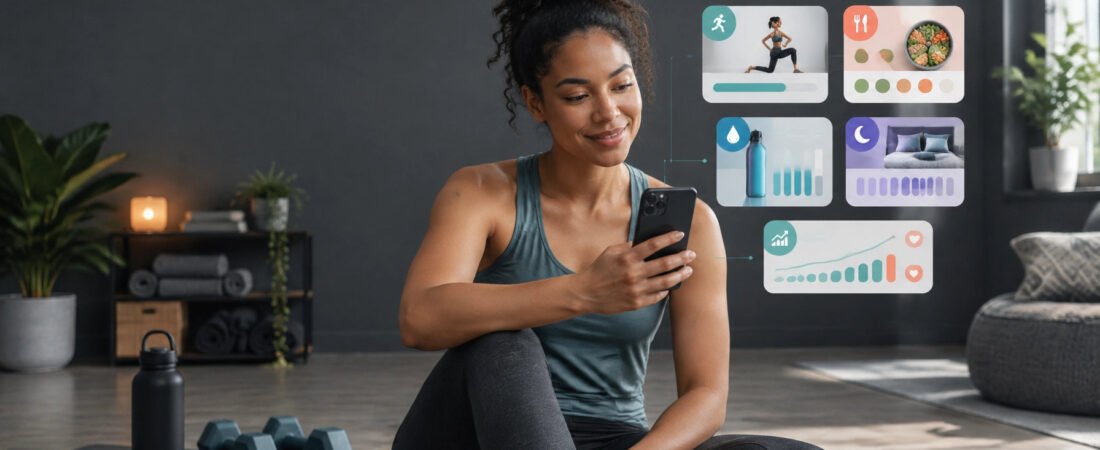
Day 1: Explore your health tracking dashboard
Open your dashboard and take a calm tour.
Look for the areas that bring your plan together:
- Training and workout tracking
- Nutrition and meal logging
- Water tracking
- Sleep and recovery
- Progress tracking
- Goals and habits
- AI fitness coach support
Do not try to customize everything immediately. Find the main action for today and learn where your information lives.
QFWellTrack is designed to reduce the need to switch between separate tools. Your dashboard gives you one place to see your habits and make your next decision.
Day 2: Use “Train Today”
Open the Train Today recommendation.
This feature helps you decide what to do next instead of searching through every option. Recommendations can reflect your goals, workout history, available equipment, and readiness information such as energy, soreness, and sleep when those inputs are available.
You do not have to choose the hardest workout.
Select a session that matches your current level and your available time. Beginner workouts, mobility sessions, cardio, strength training, and home workouts can all be useful starting points.
If the recommendation does not fit your day, adjust it. A 15-minute workout you complete is more useful than a 45-minute session you keep postponing.
Explore Personalized Workouts for more guidance.
Day 3: Complete your first workout
Choose your first session based on three factors:
- Your current fitness level.
- The time you have today.
- The type of movement you can perform comfortably.
Warm up gradually. Focus on learning the movements. Stop if you experience sharp pain, chest pain, dizziness, fainting, or severe shortness of breath, and seek appropriate professional help.
After the workout, log what you completed. You do not need to make every set or exercise perfect. The log creates a starting point for future decisions.
Why it matters: Your first workout is not a test. It is information. It shows you what feels manageable and what may need adjusting.
Day 4: Log your first meal and water
Use the nutrition area to log one meal.
Keep the process simple. Record what you actually ate. Do not change your entire diet just to create a better-looking entry.
You can also log your water throughout the day. The purpose is awareness, not judgment. Notice whether you tend to drink more in the morning, forget during work, or need a simple reminder.
QFWellTrack can support meal logging, macro awareness, meal planning, recipes, and hydration tracking. You can learn more through Nutrition Tracking.
For a balanced approach, read Nutrition Tracking Without Becoming Obsessed With Numbers.

Day 5: Log sleep and recovery
Record your sleep and how you feel today.
You do not need to interpret every number. Start with a basic observation:
- Did you sleep enough to feel ready for normal activity?
- Do you feel fresh, tired, sore, or stressed?
- Would a workout, a lighter session, or a recovery day fit best?
Recovery is part of training. A rest day is not a missed opportunity. It is one of the anchors that helps you continue.
Read Why Recovery Days Are Part of Getting Fit for a deeper explanation.
Day 6: Complete your second workout or active session
If your schedule and energy allow, complete a second workout.
It does not need to be harder than your first. You can repeat a beginner workout, choose a short cardio session, walk, or complete mobility work.
Repeating a manageable session teaches you more than constantly changing plans.
If you feel run down, use the day for light movement or recovery instead. Consistency includes knowing when to reduce the load.
Day 7: Complete a short weekly check-in
Set aside five minutes to review your week.
Ask yourself:
- How many sessions did I complete?
- Which activities felt realistic?
- Did I log a meal, water, or sleep more than once?
- What made training easier?
- What created friction?
- What is one goal for next week?
Use the dashboard as a reflection tool. It is not a scorecard for your worth.
Progress tracking can include workouts, habits, performance, and consistency. Weight is only one possible measure, and it does not tell the whole story. Read How to Measure Fitness Progress Without Obsessing Over Weight.

How to read your dashboard
Your dashboard is there to help you decide what to do next.
Use it to answer practical questions:
- What is today’s next action?
- Have I trained recently?
- Do I need movement, nutrition awareness, or recovery?
- Which habit is becoming easier?
- Where am I creating unnecessary pressure?
Avoid refreshing the dashboard every hour. Avoid treating one missed workout or incomplete log as failure.
A useful review looks for patterns over time. It does not demand perfect data every day.
You can also use the AI Fitness Coach for general questions about workouts, nutrition, progress, and form tips. It is an automated fitness support tool, not a doctor, licensed trainer, or emergency service.
Consistency over perfection. One step at a time.
Five common first-week mistakes
1. Starting with too many goals
Trying to transform your workouts, meals, sleep, hydration, and schedule at once creates friction.
Choose one or two priorities first.
2. Overtraining to “make up” for lost time
Your first week is not a fitness test. More training is not always better. Give your body time to adapt.
3. Chasing perfect nutrition logs
A meal log is useful when it builds awareness. It is not useful when it creates anxiety around eating.
Use tracking as a tool, not a rulebook.
4. Ignoring recovery
Soreness, tiredness, and stress are information. Adjust your session when needed. Read Small Healthy Habits That Can Make a Big Difference for simple ways to build sustainable routines.
5. Quitting after one missed day
A missed day is normal. Resume with the next reasonable action.
Do not restart from zero. Continue from where you are.
Frequently asked questions
Is QFWellTrack free?
QFWellTrack offers a free account and free plan. Paid memberships may add deeper features, but you can begin by creating an account and learning the basic dashboard.
How many workouts should I do during my first week?
Choose two or three sessions only if that fits your current fitness level and schedule. One completed session is still a valid beginning. Your ideal frequency depends on your goals, recovery, experience, and available time.
What if I do not know what workout to choose?
Start with the Train Today recommendation. You can also explore personalized workouts and select a beginner-friendly session that matches your time and equipment.
Do I need a wearable to use QFWellTrack?
No. You can begin by logging workouts, meals, water, sleep, recovery, and progress manually. Additional wearable integrations are coming soon and should not be treated as currently available.
Should I track every calorie and measurement?
No. Track only what supports your goal and feels appropriate for you. If food or fitness tracking increases anxiety, disrupts eating, or becomes compulsive, step back and consider speaking with a qualified healthcare professional.
For more answers, visit the QFWellTrack FAQ.
Your next step
Your first week is about building familiarity, not proving anything.
Set one realistic goal. Complete one manageable workout. Log one meal. Record water and sleep. Review your week with honesty and kindness.
That is enough to begin.
QFWellTrack is built around connected habits because health is more than one number. Training, nutrition, recovery, and progress support one another. Our job is to help you see the next step clearly.
For more practical guidance, explore the QFWellTrack blog, read The QFWellTrack Approach: Building Better Health One Step at a Time, and review our Editorial Standards.
Start today. Keep it simple. Trust the process.
Image ALT text suggestions
- Beginner using a QFWellTrack-style fitness dashboard at home during their first week
- Person logging a meal and water intake in a fitness tracking app
- Beginner reviewing a weekly progress dashboard and healthy habits
- New member planning realistic workouts and recovery days at home